EdgeAI: The Game Changer for Real-Time IoT Applications
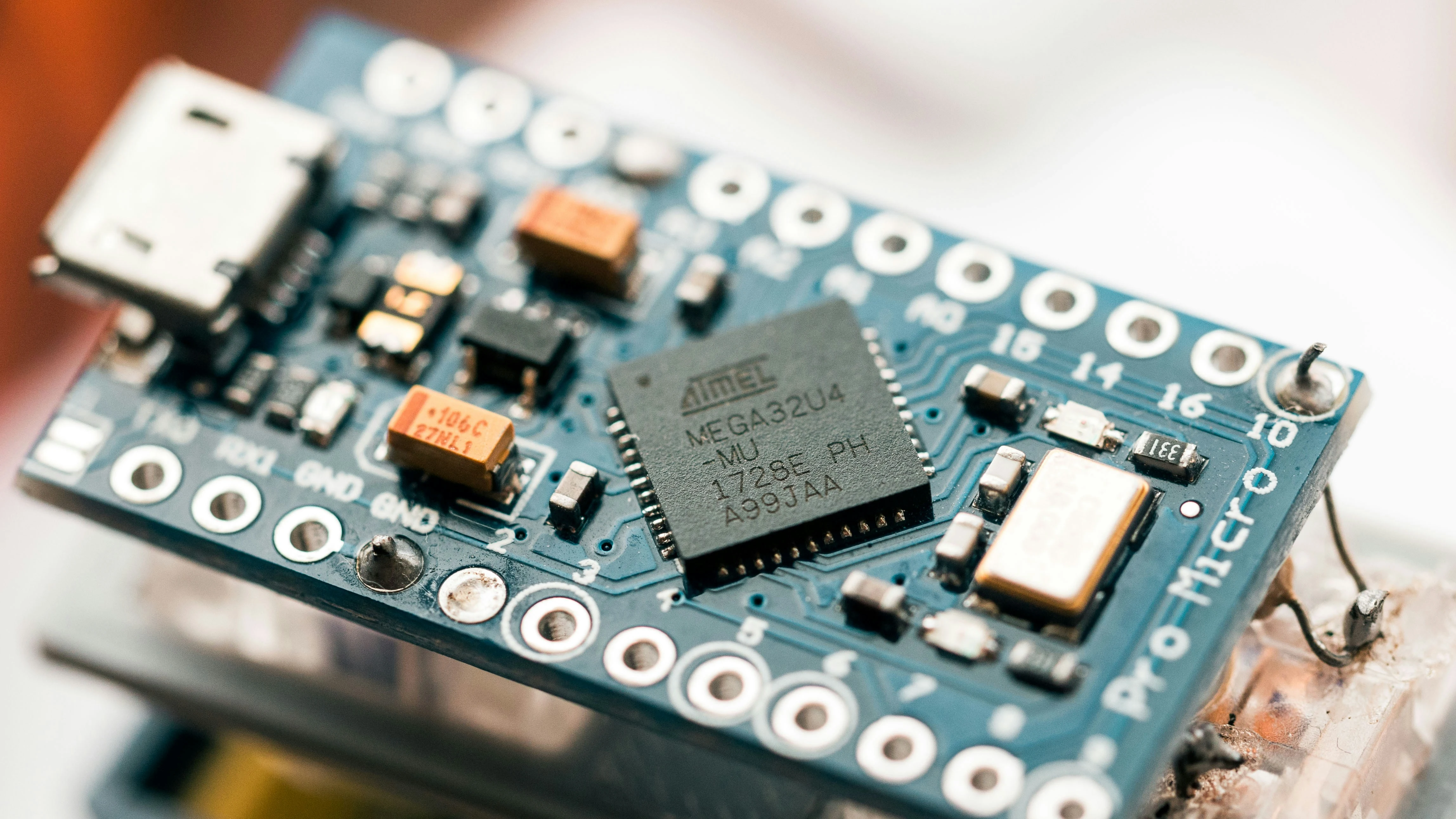
Edge AI changes how Internet of Things (IoT) systems are built by running artificial intelligence directly where the data is generated, on the device or right next to it. Moving processing from the cloud to the edge makes real-time applications practical and keeps sensitive data on site.
What Is Edge AI?
In a conventional IoT system, the device collects data and ships it to a server, where a model analyzes it and returns a result. With Edge AI the trained model runs on the device, or on a gateway in the same building. Raw data stays on site and only the conclusion travels: bearing vibration abnormal, person in restricted zone, cap missing.
Training still happens in the cloud. Only inference, where a trained model scores new data, moves to the edge, and it is light enough to run on a chip that costs a few dollars.
Reasons to Run Inference Locally
Latency is the usual one. A round trip to a cloud region takes tens to hundreds of milliseconds and, worse, the figure varies with the network. On a sorting line that has to reject a part while it is still in front of the air jet, a delay you cannot bound means bad parts get through. Local inference is quick and, more usefully for control work, predictable.
Bandwidth comes second. One 1080p camera, or an accelerometer sampled at several kilohertz, generates more data than a cellular or satellite link can carry at a sane price. Send events and hourly summaries instead and a farm or a mine site becomes workable on the link it already has.
Then there is privacy. Video of a shop floor that never leaves the camera is video you do not have to store or secure. And links drop, especially on industrial and remote sites. An edge device carries on working through the outage while a cloud-dependent one stops.
Picking Hardware for the Edge
This is the decision that is hardest to undo. There are roughly three classes.
Microcontrollers (Arm Cortex-M parts, the ESP32 family) have kilobytes to a few megabytes of memory and can run for months on a battery. With TensorFlow Lite for Microcontrollers and Arm's CMSIS-NN kernels they handle keyword spotting, vibration anomaly detection, and simple activity recognition comfortably. A quantized model of a few hundred kilobytes fits on a Cortex-M4. A YOLO-class object detector does not, and no amount of optimization will change that.
Embedded AI modules are the next step up: NVIDIA Jetson boards, or a Raspberry Pi 5 with a Hailo or Coral accelerator attached. These have a GPU or NPU and will run object detection on live camera streams. You pay in unit cost and in power. A Jetson Orin Nano draws from about 7 W upward depending on its power mode, and that heat has to go somewhere when the board is sealed in an IP-rated box in direct sun.
Gateways and industrial PCs sit on site and serve many simple sensors. Where AC power and Ethernet already exist, as in most factories, this is our usual recommendation, because you maintain one capable Linux machine per site instead of hundreds of constrained devices. The trade-off is a single point of failure, so plan for a spare.
Shrinking a Model to Fit
A model straight out of training is normally too big and too slow for these targets. Quantization does most of the work. Converting weights and activations from 32-bit floats to 8-bit integers cuts the size to about a quarter and lets the chip use its integer math units, usually for a small loss of accuracy. Post-training quantization needs a few hundred representative input samples for calibration. If the accuracy drop is too large, quantization-aware training usually recovers most of it. Some accelerators leave you no choice here. The Coral Edge TPU, for one, only runs fully int8-quantized models.
Pruning and distillation (training a small model to mimic a large one) help as well. In our experience, though, starting from an architecture designed for embedded use, such as the MobileNet family, beats compressing a big model afterward.
The conversion tools are TensorFlow Lite, ONNX Runtime, and TensorRT on NVIDIA hardware. A TensorRT engine file is built for a specific GPU and TensorRT version, so you build it on the target and not on your desktop. Always re-measure accuracy after conversion, on the device, with data from the real site. A model that scored well on a laptop can behave quite differently once it is quantized and looking through a dusty lens under factory lighting.
Edge or Cloud: What Runs Where
Almost every system we build uses both. The edge does the time-critical inference and the filtering. The cloud does training, fleet management, long-term storage, and any analysis that compares sites.
A pattern we reuse a lot is to have each device upload its events plus a small sample of raw data, weighted toward inputs where the model's confidence was low. Retrain on those and the model gets better at the conditions your devices meet in the field.
Updating Models in the Field
Every deployed model goes stale. Lighting shifts with the seasons and a new product variant turns up on the line. Without remote updates the only fix is a technician with a laptop, and that stops being possible somewhere past a few dozen units.
So over-the-air (OTA) updates go into the design on day one. Packages are signed, so a device only installs software that came from you. Rollouts are staged, a handful of devices first. On Linux-class hardware we use A/B partitions with automatic rollback if the new image fails its health check. Mender, RAUC, and SWUpdate all do this, and MCUboot covers the microcontroller end.
Edge AI costs real money and time. If a delay of a few seconds is fine, the link is dependable, and the data volume is modest, run the model in the cloud and skip all of it. The same goes for models too large for any sensible edge hardware, and for decisions that need data from many sites at once.
We also prototype in the cloud even when the product is headed for the edge, because there is no point optimizing a model whose job is still being defined.
Common Mistakes in Edge AI Projects
Buying the hardware first is the classic. The board gets chosen because someone has used it before, and the model that arrives later runs at a fraction of the frame rate the line needs. Training data is the other big one. Public datasets are clean and well lit. Your site is not, and a model that has never seen glare or motion blur will fail on them.
Security tends to be left for later as well. An edge device is a computer on your network, often somewhere anyone can walk up to it, and it needs secure boot, encrypted storage for the model and credentials, and no default passwords.
How to Get Started with Edge AI
Write down the decision the device has to make and the time it has to make it in. Something like "detect a missing cap before the bottle reaches the packer" is specific enough to design to. Add the constraints next: power, connectivity, environment, unit cost, fleet size.
Collect data from the real environment with the real sensor, even if that means a temporary rig recording for a few weeks. Train a first model, run it on a development board from the class you think you need, and measure accuracy, inference time, and power draw there.
After that, settle the edge-cloud split and the OTA path, then pilot on a small number of devices with a person checking results against what happened on the floor.
Lionasys builds IoT and Edge AI systems, including on-device models, gateways, and the cloud platforms behind them. If you are unsure whether your application belongs at the edge, get in touch and we will talk it through.